


Writing macros to automate topic note DarkMode as suggested by other users.
some users suggested we can , in topic note,
insert a 1x1 table, make it black background color, and make it white font. then u got
dark mode in topic note.
GLM 5.2 helped me wrote a pair of macros, to and from.
original:
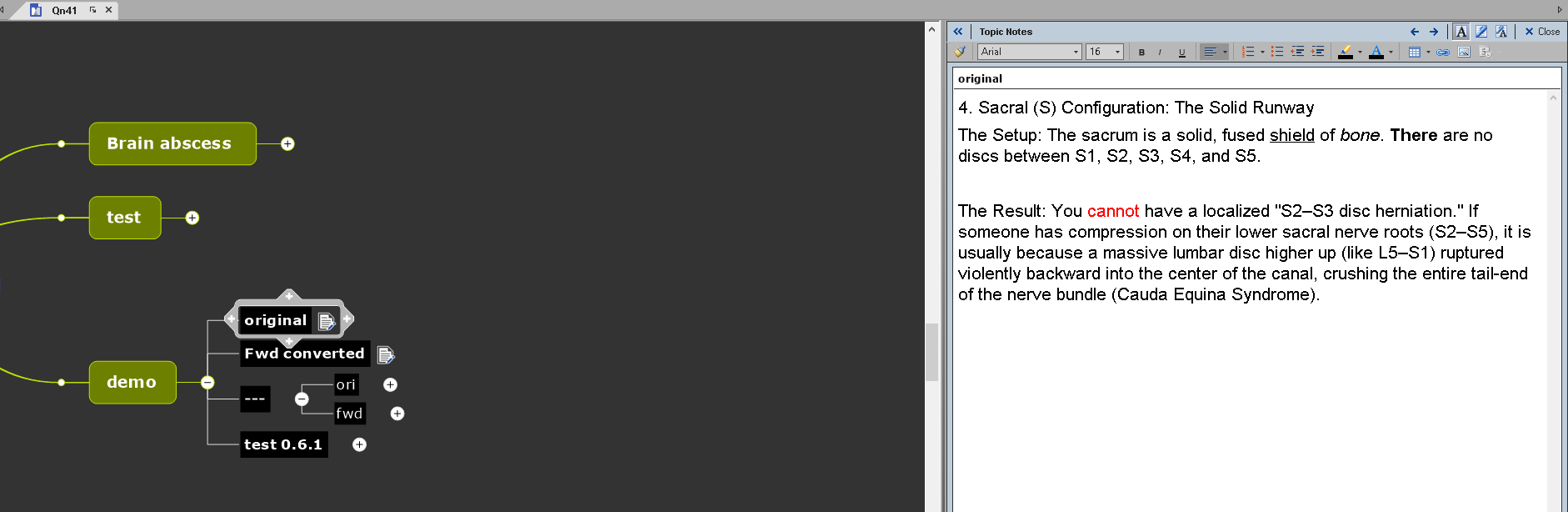
after:
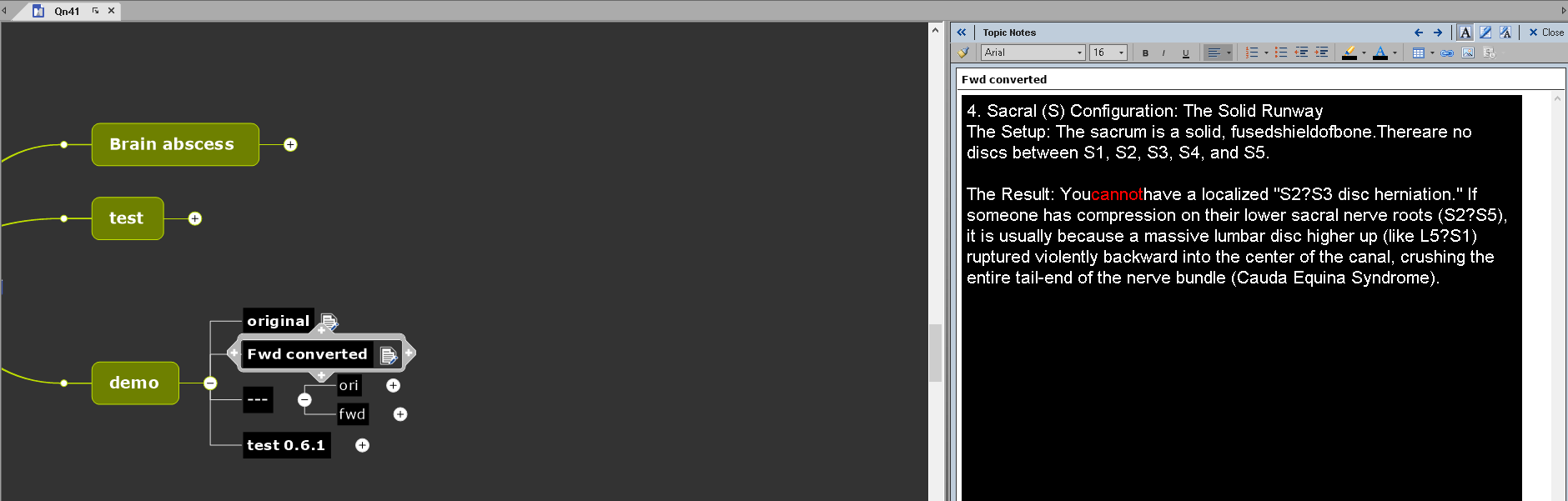
some work still have to be done,
1. it lose all bold/italic/underline
2. lose some symbols like – in S2–S3
3. some spaces missing.
This idea is told by other users to me,
so i am going to open source this macro.
This is different from other situations.
In this situation, without other's contribution of the idea,
I will not be able to implement it. so I believe if should foss it.
Feel free to comment.
by default it will be Arial, font 16.
may be we could let users hardcode the defaults into the script.
Not yet done, as u can see.
 I like this idea
@Nick would appreciate feedback, thank you.
@Nick would appreciate feedback, thank you.
Done, gemini pairs up w GLM is the BEST BEST BEST.
ori:
after:
Done, gemini pairs up w GLM is the BEST BEST BEST.
ori:
after:
GLM 5.2 is now as expensive as claude's models.
this quite simple script used up my 5hr quota easily, already using gemini to help
GLM 5.2 is now as expensive as claude's models.
this quite simple script used up my 5hr quota easily, already using gemini to help
---