


Links to an individual topic in a Published map - can the map be focused on it when it opens please?
It is great that you can actually link to any individual topic in a map that you have published - right click on a branch on the map already displayed in the browser window and choose the 'Link to this topic' option and it will be copied to your clipboard for onward sharing.
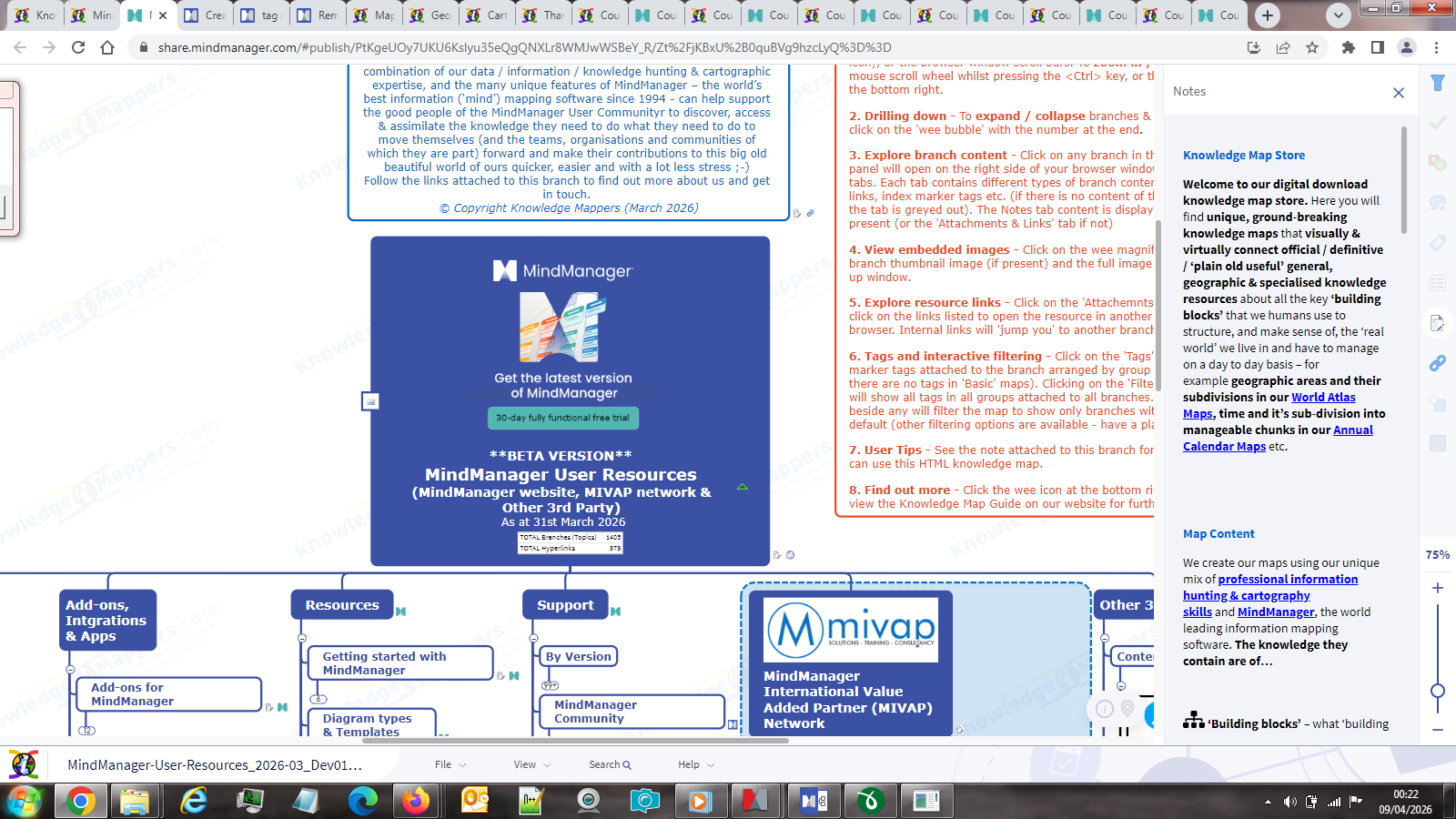
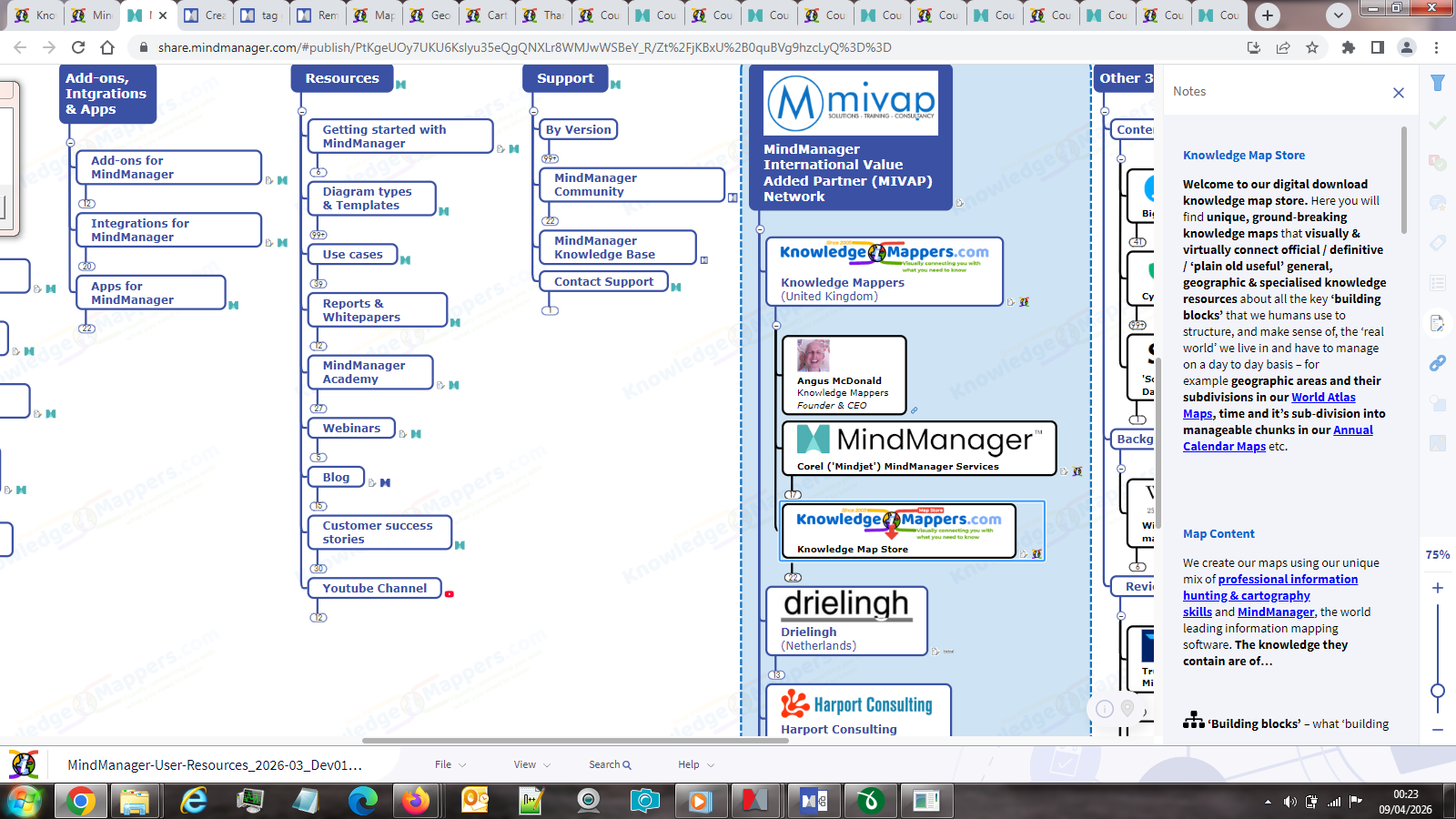
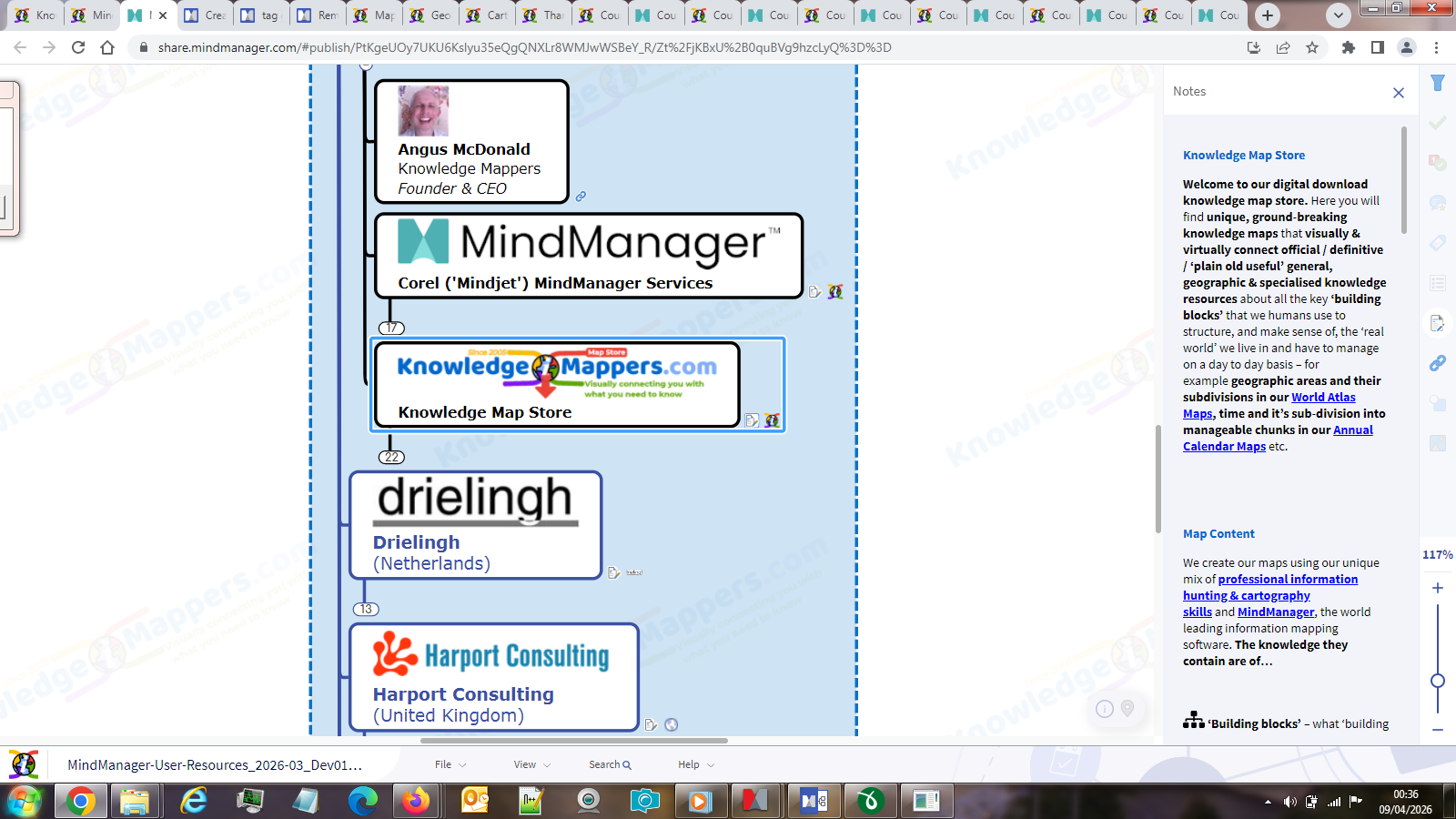
However when the link is clicked by the user and the map opens in a new browser tab, it is not focused on that topic, just the central topic as usual. The topic you have linked to is selected, with the highlight box around it and the content displayed in the tabs on the right of the browser window and, if it is a sub-topic that is collapsed in the published map, the tree is expanded so that it is visible and selected.
However if the map is sufficiently zoomed in and/or the user is looking at it on a smaller screen - either in terms of resolution like my old, lower screen resolution laptop (which the attached screenshots are taken on), or physically smaller like a mobile phone - then the highlighted branch may be off-screen and not in fact visible to the viewer, and they will have to scroll around to find it.
This is very counter intuitive, as well as being quite confusing for a new user, unfamiliar with the whole 'map thing' and so may not know what it is they are looking at anyway. Surely the whole point of being able to link to an individual topic is that it is very obvious to the user that that is where they have 'arrived' on the map.
My question is therefore is it possible to make it that the map is focused on that specific topic upon opening in the browser tab? (see screenshot)
So you can see what I mean, the individual topic link as seen in the screenshots is https://share.mindmanager.com/#publish/PtKgeUOy7UKU6Kslyu35eQgQNXLr8WMJwWSBeY_R/Zt%2FjKBxU%2B0quBVg9hzcLyQ%3D%3D.
Looks like a small, but important improvement.
Looks like a small, but important improvement.
---