I look forward to MindManager 26. Is there any information on the next release. Will incorporate AI? I would welcome some information on what is coming next.
I look forward to MindManager 26. Is there any information on the next release. Will incorporate AI? I would welcome some information on what is coming next.
I am curious to see how MindManager will being AI incorporation to the program. Also interested to see if they do a serious upgrade on the Notes feature inside the topics.
I am curious to see how MindManager will being AI incorporation to the program. Also interested to see if they do a serious upgrade on the Notes feature inside the topics.
Despite of the big topic AI, there are a lot of small improvements wanted by the community! If AI would take longer, no worries, I would be satisfied by a serious bunch of small polishing.
Despite of the big topic AI, there are a lot of small improvements wanted by the community! If AI would take longer, no worries, I would be satisfied by a serious bunch of small polishing.
I am curious what you think about the new version.
I am a disappointed: Just some new templates and shades. A Sharepoint view. No AI, no mobile app (with editing functions) and the web app still not mobile friendly. Other tools release MCP server abilities, MindManager shapes. And this is the version of the year.
I am afraid that MindManager will risk to lose connection to the future.
I hope that the new (old) team will work on more future proof functions.
I am curious what you think about the new version.
I am a disappointed: Just some new templates and shades. A Sharepoint view. No AI, no mobile app (with editing functions) and the web app still not mobile friendly. Other tools release MCP server abilities, MindManager shapes. And this is the version of the year.
I am afraid that MindManager will risk to lose connection to the future.
I hope that the new (old) team will work on more future proof functions.
I just installed MindManager 26. It appears to be funning well with no major issues. I did find the Custom Content Locations intereesting. Now I have to click "Customer Content Locations and then Templates to get my custom built materials. It's just a few extra clicks. Still the layout is rather different.
As for AI. I suspect AI is not going to get add into MindManager. I tried filelinker and it failed. Thre are no other options in MindManager Apps.
For now I am using AI to generate elements for a map that work with copy and paste. Extra steps and it works well.
Have a great day.
I just installed MindManager 26. It appears to be funning well with no major issues. I did find the Custom Content Locations intereesting. Now I have to click "Customer Content Locations and then Templates to get my custom built materials. It's just a few extra clicks. Still the layout is rather different.
As for AI. I suspect AI is not going to get add into MindManager. I tried filelinker and it failed. Thre are no other options in MindManager Apps.
For now I am using AI to generate elements for a map that work with copy and paste. Extra steps and it works well.


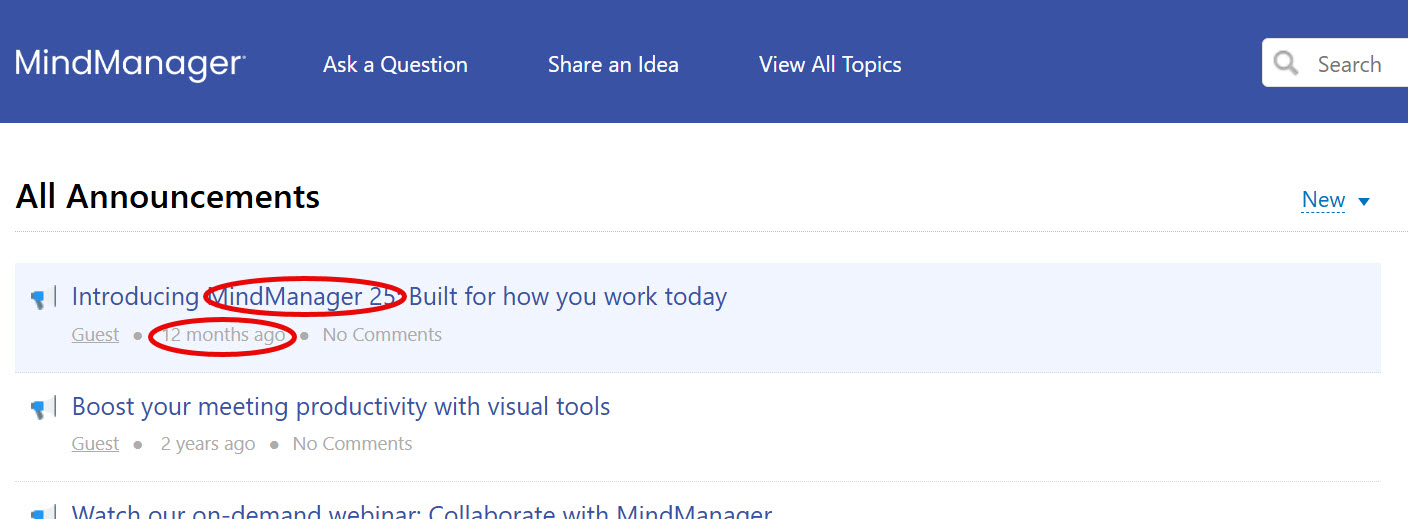
Absolutely.
Absolutely.
We're wainting for
We're wainting for
I look forward to MindManager 26. Is there any information on the next release. Will incorporate AI? I would welcome some information on what is coming next.
I look forward to MindManager 26. Is there any information on the next release. Will incorporate AI? I would welcome some information on what is coming next.
It's great that there are others here who are curious about MM 2026.
It's great that there are others here who are curious about MM 2026.
Despite of the big topic AI, there are a lot of small improvements wanted by the community! If AI would take longer, no worries, I would be satisfied by a serious bunch of small polishing.
Despite of the big topic AI, there are a lot of small improvements wanted by the community! If AI would take longer, no worries, I would be satisfied by a serious bunch of small polishing.
https://community.mindmanager.com/announcement/mindmanager-26?utm_medium=email&utm_source=marketo&utm_campaign=mm-channel-all-release&mkt_tok=MjgwLVFESy0yMTUAAAGk2ttgqaNQgI-A8Miaw9h1Qblax5I59721L_kZ3LoYqpaI8-5_1-G07R7ffY50emAMRF0RcKDcam2vr0OnSQz_KJ30jqSa-LQwkjAIxf3EA6gWxzckbA
https://community.mindmanager.com/announcement/mindmanager-26?utm_medium=email&utm_source=marketo&utm_campaign=mm-channel-all-release&mkt_tok=MjgwLVFESy0yMTUAAAGk2ttgqaNQgI-A8Miaw9h1Qblax5I59721L_kZ3LoYqpaI8-5_1-G07R7ffY50emAMRF0RcKDcam2vr0OnSQz_KJ30jqSa-LQwkjAIxf3EA6gWxzckbA
Downloads von MindManager:
https://www.mindmanager.com/de/support/enterprise-download/
https://www.mindmanager.com/en/support/enterprise-download/
Downloads von MindManager:
https://www.mindmanager.com/de/support/enterprise-download/
https://www.mindmanager.com/en/support/enterprise-download/
I am curious what you think about the new version.
I am a disappointed: Just some new templates and shades. A Sharepoint view. No AI, no mobile app (with editing functions) and the web app still not mobile friendly. Other tools release MCP server abilities, MindManager shapes. And this is the version of the year.
I am afraid that MindManager will risk to lose connection to the future.
I hope that the new (old) team will work on more future proof functions.
I am curious what you think about the new version.
I am a disappointed: Just some new templates and shades. A Sharepoint view. No AI, no mobile app (with editing functions) and the web app still not mobile friendly. Other tools release MCP server abilities, MindManager shapes. And this is the version of the year.
I am afraid that MindManager will risk to lose connection to the future.
I hope that the new (old) team will work on more future proof functions.
I just installed MindManager 26. It appears to be funning well with no major issues. I did find the Custom Content Locations intereesting. Now I have to click "Customer Content Locations and then Templates to get my custom built materials. It's just a few extra clicks. Still the layout is rather different.
As for AI. I suspect AI is not going to get add into MindManager. I tried filelinker and it failed. Thre are no other options in MindManager Apps.
For now I am using AI to generate elements for a map that work with copy and paste. Extra steps and it works well.
Have a great day.
I just installed MindManager 26. It appears to be funning well with no major issues. I did find the Custom Content Locations intereesting. Now I have to click "Customer Content Locations and then Templates to get my custom built materials. It's just a few extra clicks. Still the layout is rather different.
As for AI. I suspect AI is not going to get add into MindManager. I tried filelinker and it failed. Thre are no other options in MindManager Apps.
For now I am using AI to generate elements for a map that work with copy and paste. Extra steps and it works well.
Have a great day.
---