


I Need Help to Organize Properties
Discussion Open
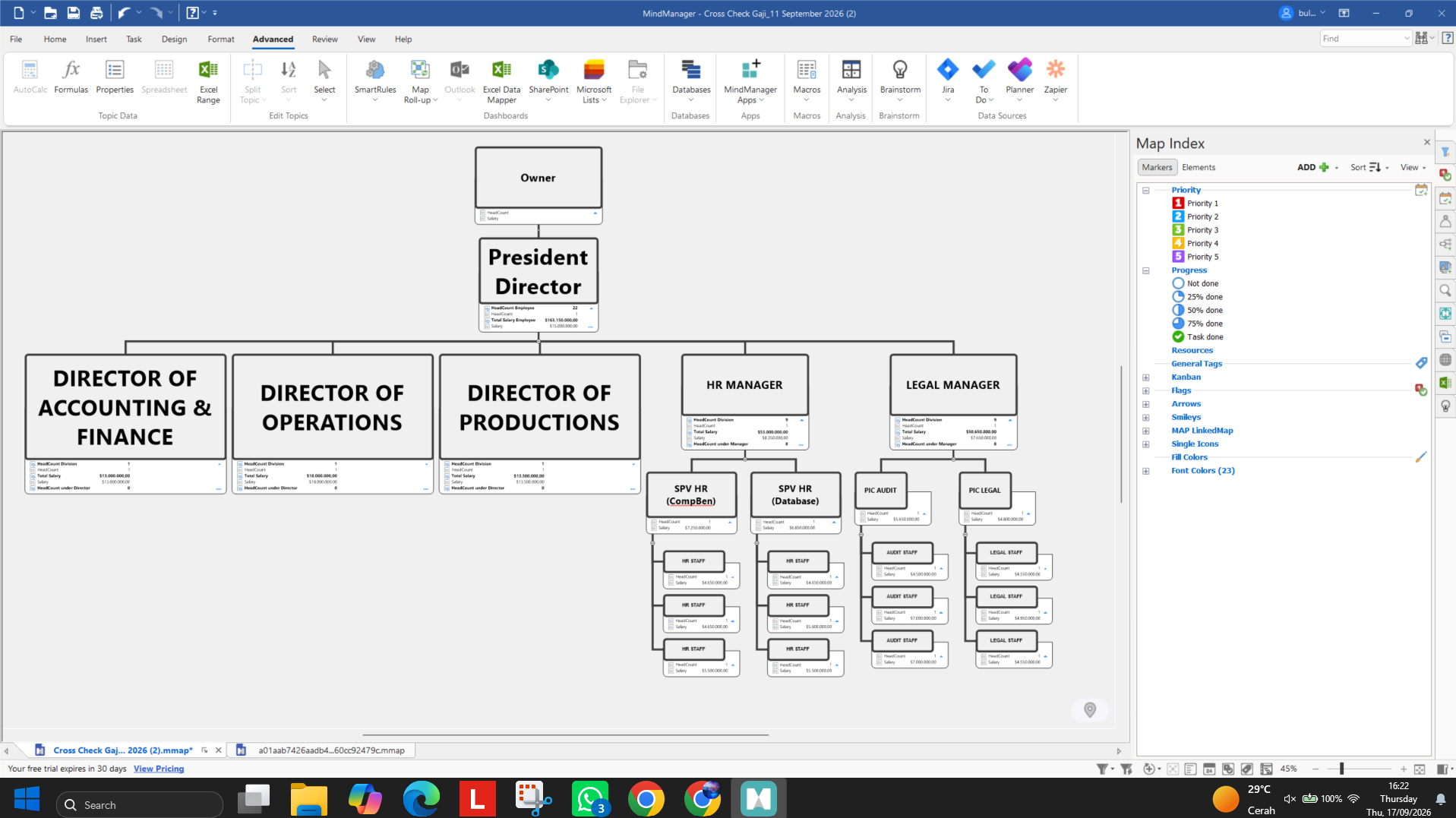
Excuse me everyone, i just trying this app as you can see i just start the demo version of Mind Manager, i just created a basic company structure to serve as a basis for the manpower planning budget forecast that HR will be handling. As you can see, I’m using a single "bubble" to represent one specific job position, complete with its corresponding salary.
Eventually, I’ll need to build out the full organizational structure—which involves around 500 people in total. Is there a quick way to edit the properties for all of them at once, perhaps like using Excel or a spreadsheet or what just to make sure i dont input it one by one?
I’m hoping someone here can help me out or maybe suggest faster step. Thanks in advance!
Select the relevant branches and then change the property.
Select the relevant branches and then change the property.
Another option:
When importing from Excel, you can specify in advance which column corresponds to which field.
A specific column becomes a specific property in the branch
Another option:
When importing from Excel, you can specify in advance which column corresponds to which field.
A specific column becomes a specific property in the branch
If you do decide to purchase MindManager for this purpose you could consider getting the MAP add-in from Olympic Limited - https://www.olympic-limited.co.uk/mindmanager-add-ins/map-for-mindmanager/. This provides a facility to edit topic properties in a map globally - see here for a description: https://www.olympic-limited.co.uk/mindmanager-add-ins/map-for-mindmanager/topic-properties/.
If you do decide to purchase MindManager for this purpose you could consider getting the MAP add-in from Olympic Limited - https://www.olympic-limited.co.uk/mindmanager-add-ins/map-for-mindmanager/. This provides a facility to edit topic properties in a map globally - see here for a description: https://www.olympic-limited.co.uk/mindmanager-add-ins/map-for-mindmanager/topic-properties/.
---