


Links to SharePoint open "Sign in to your account" but not directly to URL
Answered
I have a link that has "SharePoint" in the URL (https://xxx.sharepoint.com/sites/EHS/Shared Documents/Forms/AllItems.aspx?csf=1&web=...Folder...) and it opens directly to MM MS SharePoint sign in dialogue box, as opposed to just activating the URL link within Chrome.
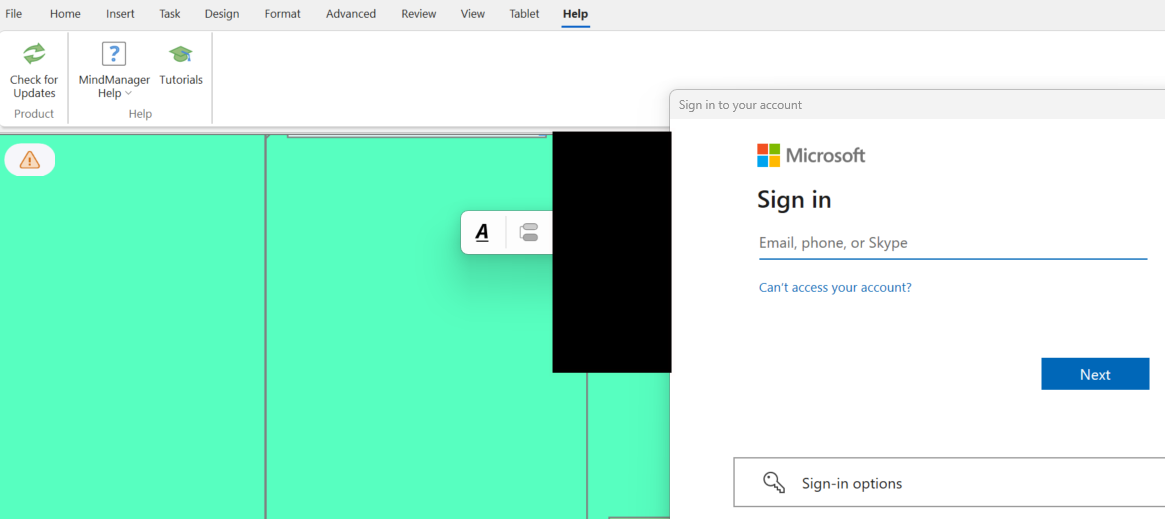
I would like to have the URL just open in Chrome.
I have Options:
| AlphaSort | OriginalOrder | Option |
| 6 | 1 | General |
| 18 | 2 | View |
| 4 | 3 | Edit |
| 19 | 4 | Visual Effects |
| 9 | 5 | Open & Save |
| 17 | 6 | User Info |
| 8 | 7 | Notes |
| 13 | 8 | Spelling |
| 20 | 9 | Windows Touch |
| 14 | 10 | Tablet PC |
| 12 | 11 | Review |
| 2 | 12 | Alerts & Security |
| 1 | 13 | Add-Ins |
| 16 | 14 | Transformations |
| 10 | 15 | Package Folders |
| 11 | 16 | Proxy Settings |
| 15 | 17 | Task Info |
| 5 | 18 | Filter |
| 3 | 19 | Databases |
| 7 | 20 | HTML5 Export |
Add-ins
| AlphaSort | OrigOrder | Add-in | Version | Enabled |
| 14 | 1 | MindManager Apps | v2.21 | Yes |
| 4 | 2 | Database Linker | v25.0.208.0 | Yes |
| 10 | 3 | Microsoft Excel Linker | v25.0.208.0 | Yes |
| 11 | 4 | Microsoft Outlook Map Parts | v25.0.208.0 | Yes |
| 12 | 5 | Microsoft Project Import and Export | v25.0.208.0 | Yes |
| 18 | 6 | Smart Map Parts | v25.0.208.0 | Yes |
| 19 | 7 | Sort Topics | v25.0.208.0 | Yes |
| 17 | 8 | Save as Web Pages | v25.0.208.0 | Yes |
| 15 | 9 | MPX Import | v25.0.208.0 | No |
| 3 | 10 | Browser | v25.0.208.0 | No |
| 1 | 11 | Analytic Views AddIn | v25.0.208.0 | Yes |
| 2 | 12 | Brainstorming AddIn | v25.0.208.0 | No |
| 5 | 13 | Excel AddIn | v25.0.208.0 | Yes |
| 8 | 14 | FreeMind Import | v25.0.208.0 | No |
| 9 | 15 | Gantt Pro | v25.0.208.0 | Yes |
| 6 | 16 | Export HTML5 Maps | v25.0.208.0 | Yes |
| 16 | 17 | OPML Import and Export | v25.0.208.0 | Yes |
| 13 | 18 | Microsoft SharePoint Linker | v25.0.208.0 | No |
| 20 | 19 | Word AddIn | v25.0.208.0 | Yes |
| 21 | 20 | XMind Import | v25.0.208.0 | No |
| 7 | 21 | File Explorer | v25.0.208.0 | Yes |
Addins: Microsoft SharePoint Linker disabled
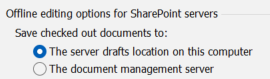
Open and Save:
For clarity (not a solution), if you paste the same URL into Chrome, does it ask you to log in or does it open the SharePoint page? If the latter, then are you already logged in?
For clarity (not a solution), if you paste the same URL into Chrome, does it ask you to log in or does it open the SharePoint page? If the latter, then are you already logged in?
---